 Audio Converter
The problem it solves
"This file won't open." I hear that one a lot. Somebody sends a WMA and your phone shrugs. A podcast editor wants WAV and you've got M4A. A voice memo needs to be an MP3 before the website will take it.
Audio Converter is a universal adapter for sound files. Pick the format you want on the other end, drop your files on it, press one button.
How it works
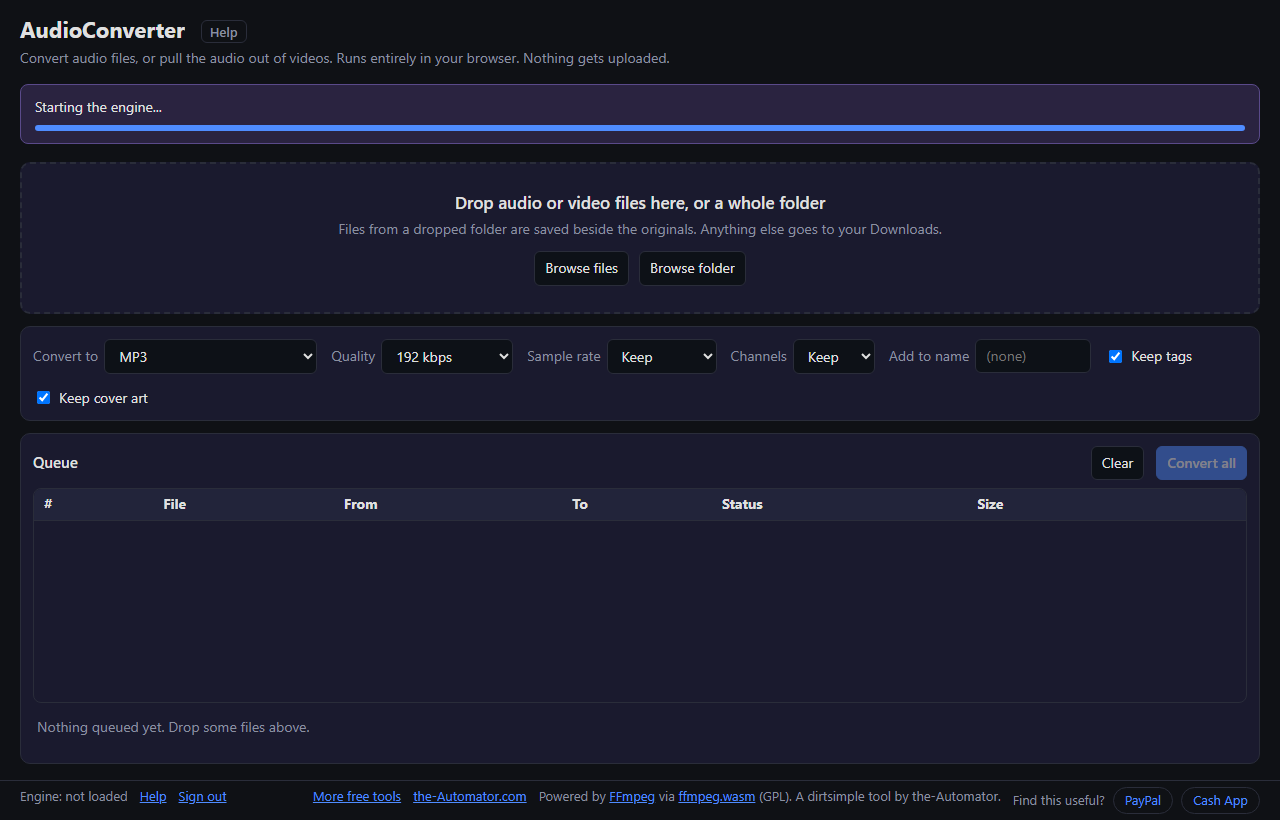
- Drop your files on the page, or use Browse files or Browse folder. Video files are fine; it takes the audio.
- Pick the format in Convert to, and adjust quality, sample rate or channels if you care. The defaults are sensible.
- Press Convert all. Nothing starts until you do, so you can drop several batches first.
- Collect the results. Files from a dropped folder are saved beside the originals. Everything else goes to your Downloads.
Formats it handles
Out: MP3, M4A (AAC), M4A (ALAC lossless), WAV, FLAC, OGG Vorbis, OPUS, AIFF, WMA, AC3 and WavPack.
In: just about anything, including MP3, WAV, FLAC, AAC, M4A, OGG, WMA, AIFF, APE, AMR and more, plus the soundtrack from MP4, MOV, MKV, AVI, WMV, WebM and other video files.
Tags and cover art come along by default, and you can add a few characters to the end of each new file name so nothing gets confused with the original.
Court recordings (FTR)
If you work with For The Record (.trm) court recordings, this handles those too. You can keep all the microphone channels in one file, mix them into stereo, or split each channel into its own file. It can also join the chunks from the same session into one recording.
Why I ask for your email
Not because of your files. The conversion engine (FFmpeg) downloads to your browser once, about 31 MB, and does all the work on your computer. Your audio is never uploaded and I never see it.
The email lets me know who's using the tool. I might reach out with a question about improvements, or send a note about other free tools I build. I will never sell or give your email to anyone else.
Questions people ask
Is it free?
Yes. No file-size fees and no subscription.
Are my files uploaded?
No. The converter runs inside your browser, so your files stay on your computer.
Why does it take a moment the first time?
The converter engine is about 31 MB and downloads once. After that it's ready to go.
Can it pull the audio out of a video?
Yes. Drop an MP4, MOV, MKV or other video file and pick an audio format.
Where do the converted files go?
If you dropped a folder, beside the originals (this needs Chrome or Edge). Otherwise they land in your Downloads folder.
Does it work on a phone?
It runs in the browser, but I've mostly used it on a computer. Very long or very large files need a fair amount of memory.